Calorie Tracker App for iPhone Duo: Bento Bunny on Both Screens
A calorie tracker built for iPhone Duo: one handed logging on the outer screen, a two column dashboard when open, plus water, streaks and badges.
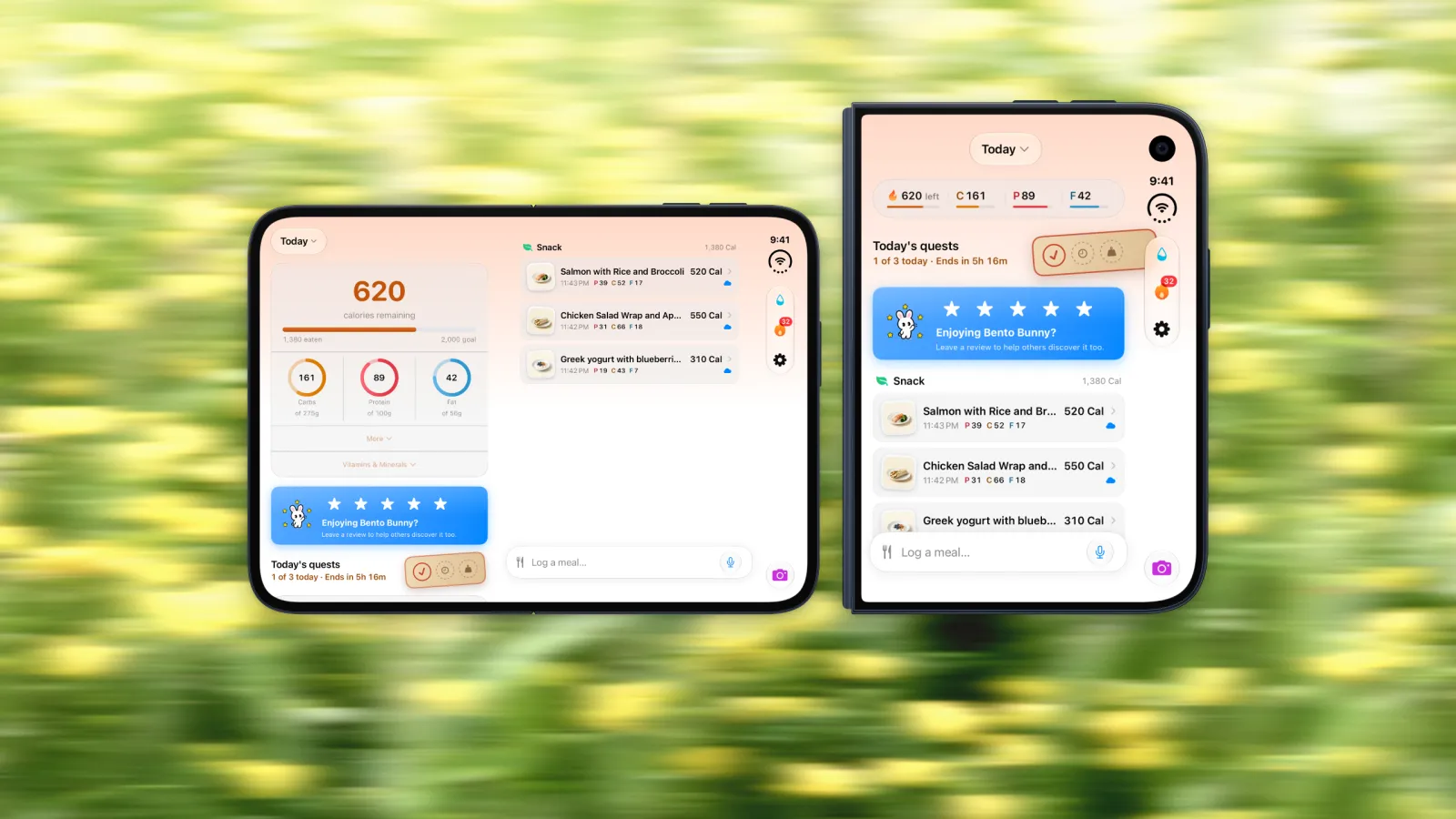
iPhone Duo went on sale on October 23, and the first wave of reviews keeps landing on the same complaint: a lot of apps are not ready for it. Open the phone and an unprepared app sits in the middle of the 7.6-inch screen with black bars on either side. A calorie tracker is one of the apps you open most, several times a day, so that is where it hurts. Bento Bunny is built for the Duo. Here is what it looks like on each screen, and why a foldable suits the way food logging actually happens.
The short version
- Built for both screens. Bento Bunny fills the 5.4-inch outer display and the 7.6-inch inner display, with no letterboxing.
- Closed, it is a one thumb logger. Calories left and macros across the top, today's meals below, and a log bar at the bottom. Type it, say it, snap it or scan it.
- Open, it is a real two column dashboard. Your numbers on the left, your meals on the right, not a phone layout stretched sideways.
- The habit features come along. One tap water, a streak calendar, daily quests and 38 badges all work on both screens.
- Analysed on the device. On iOS 26 and later, meal photos are analysed on the device, and every iPhone Duo runs iOS 27.
Why "Built for iPhone Duo" Matters
How an app looks on the Duo depends on how it was built. Apple gives older apps a compatibility mode, and there are three tiers:
- Apps built for iOS 26 run letterboxed in the middle of the inner display, with black bars down the sides.
- Apps built for iOS 27.0 resize to most of the inner display, but leave a gap along the right edge and keep ordinary toolbars.
- Apps built for iOS 27.1 and later use the full display, move their controls into the slim side bar next to the camera, and adapt as you fold and unfold.
Reviewers noticed straight away. 9to5Mac described large black bars around apps that have not been updated, and Engadget found well known apps showing a narrow portrait layout surrounded by dead space. For an app you open after every meal, that adds up fast. Bento Bunny is in the last group: it uses the whole of both screens and follows Apple's design guidance for the Duo, so it feels like it was made for the phone, because it was.
Closed: Log a Meal With One Thumb
Most logging happens in small moments. Standing at the counter, holding a coffee, waiting for the bill. That is closed phone territory, and the outer screen is where Bento Bunny spends most of its time.
Across the top you see calories left and your carbs, protein and fat, each with a thin progress line. Below that are today's quests, then the meals you have logged with their time and macros. The log bar sits at the bottom, right under your thumb:
- Type it in plain words, like "two eggs on toast and a flat white".
- Say it by tapping the microphone.
- Snap it with the camera button, or scan a barcode on packaged food.
On a closed Duo, Apple moves app controls into a narrow column on the side, next to the clock and the camera. Bento Bunny puts water, your streak and settings there as small icons with badges, so the screen itself stays about food. Apple says the outer display has about 90% of the screen area of an iPhone 18 Pro, so nothing feels cramped.
Open: A Real Two Column Dashboard
Unfold the phone and Bento Bunny does not just get wider. The inner display splits into two columns. On the left: calories remaining against your goal, rings for carbs, protein and fat, and your vitamins and minerals one tap away. Quests sit underneath. On the right: today's meals, each with a photo, the time and its macros, with the log bar below.
Both layouts keep the same things in the same order. Fold the phone mid meal and the log bar, your meals and your numbers are where you left them, just arranged for the screen you are holding.
The open layout is made for the end of day check. You see what is left, which macro is behind and what you have eaten, all at once and without scrolling, which makes deciding on dinner much easier.
Split View with a recipe or a menu
The inner display can also run two apps side by side, a first for iPhone. Put Bento Bunny next to a recipe in Safari while you cook, so you log the olive oil while you can still see it in the ingredient list. Or put it next to a restaurant menu before you order. Our iPhone Duo calorie tracking guide walks through both setups.
Water in One Tap
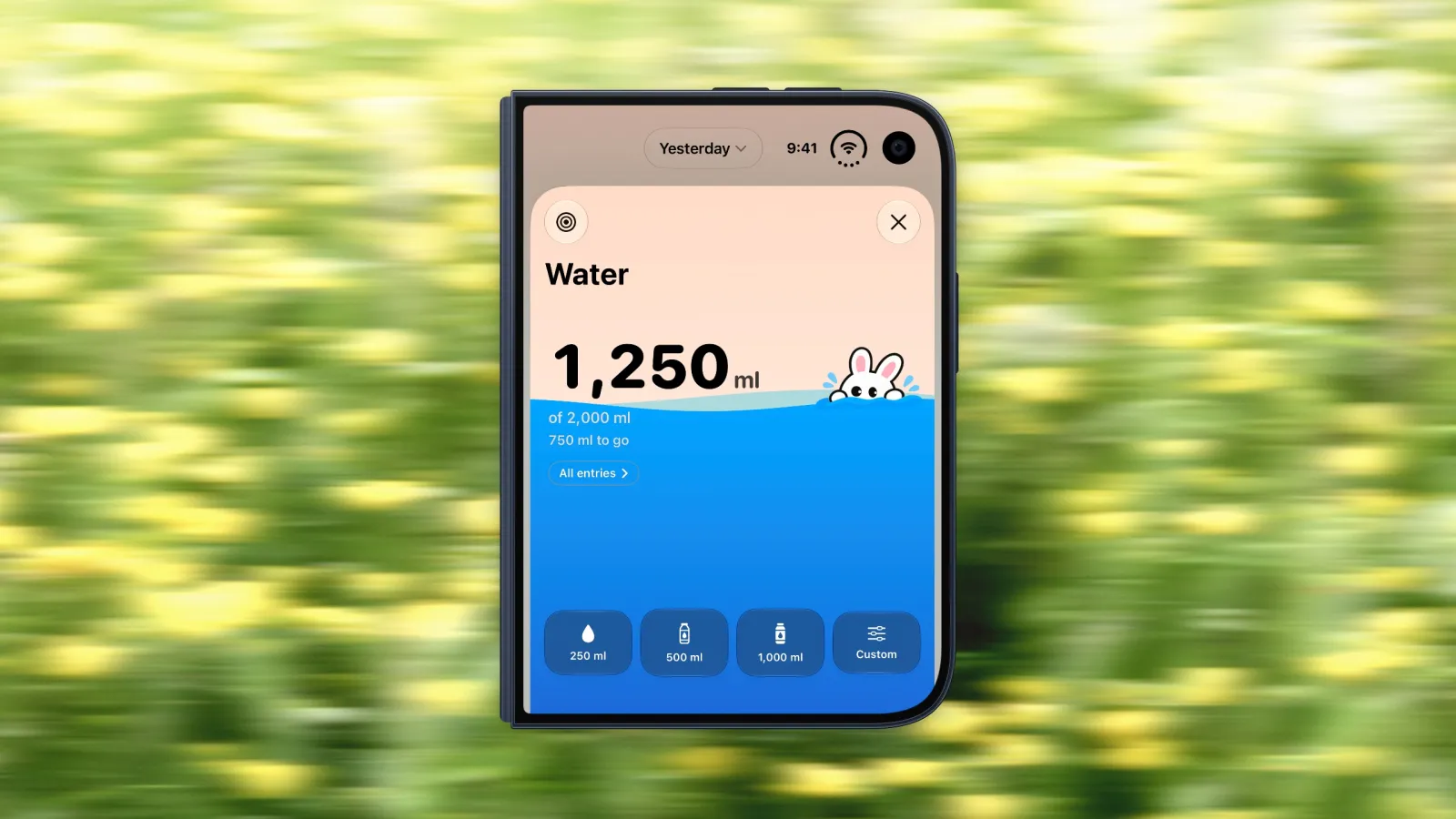
Water lives in the side bar on both screens. Tap it and you get big buttons for 250 ml, 500 ml and 1,000 ml, plus a custom amount, with the bunny peeking out at the waterline as you fill up toward your goal. It is the kind of thing you log with the phone closed in two seconds, which is exactly why it gets logged. Water tracking is free, as are weight, streaks and quests.
Streaks, Quests and Badges
Calorie tracking only works if you keep doing it, and Bento Bunny puts its personality into keeping you going.
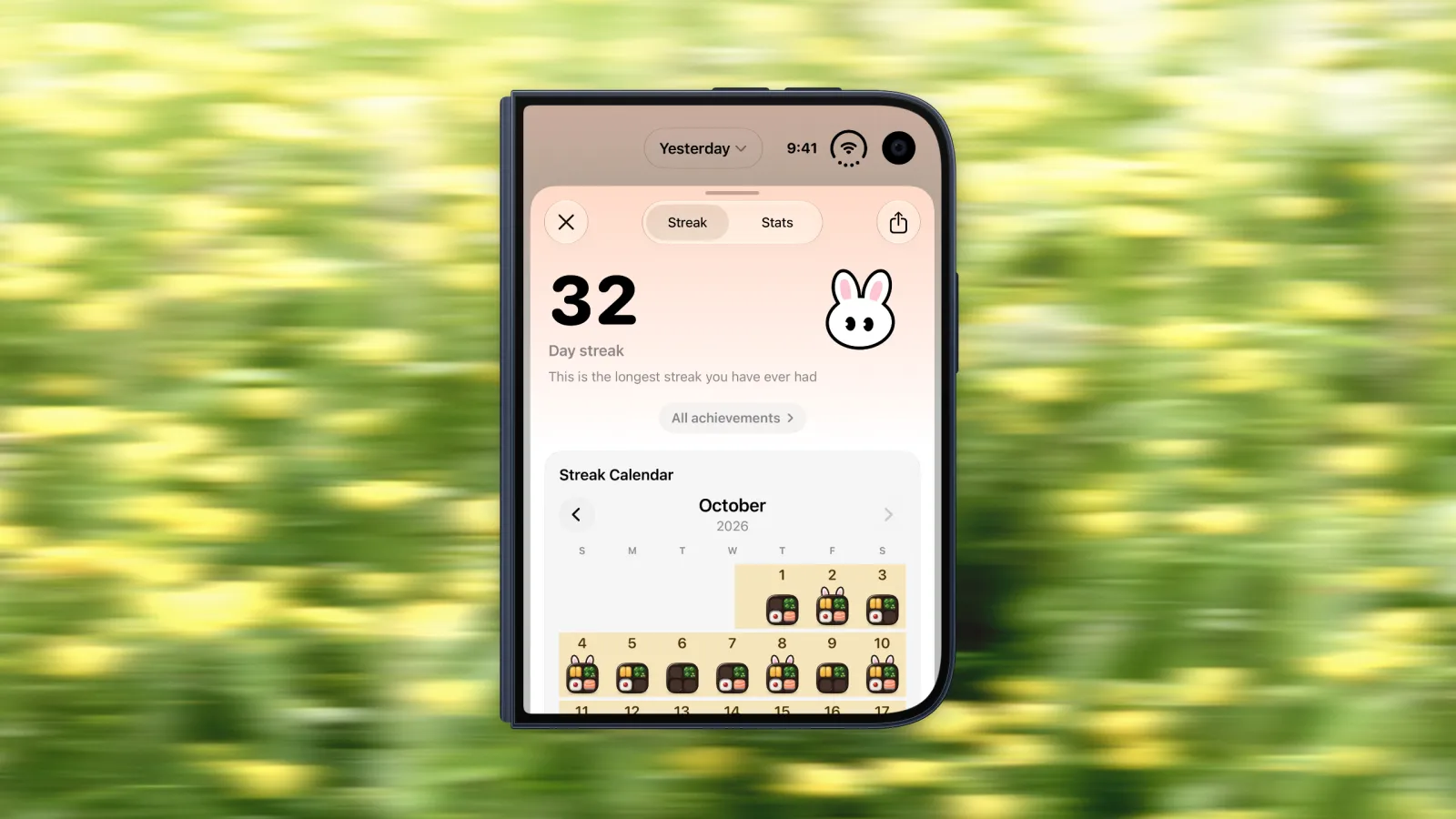
The streak screen shows how many days in a row you have logged, with a calendar where each logged day gets a little bento box. Daily quests add a few small goals for the day, and they sit on the home screen in both layouts so you always know what is left.
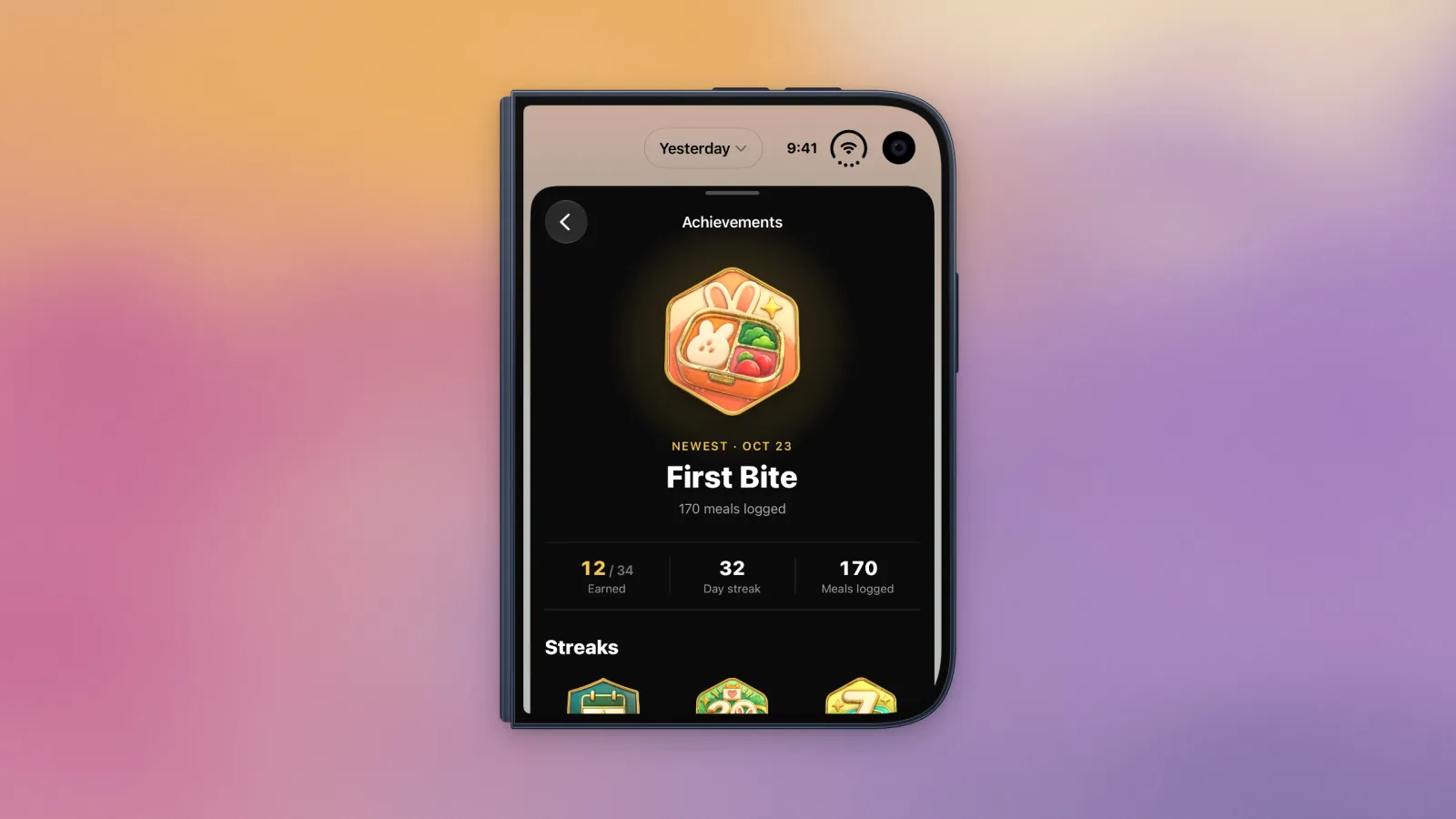
Logging also earns badges, 38 of them, from your first meal to long streaks and breakfast habits. The achievements screen shows your newest badge, how many you have earned, your current streak and how many meals you have logged.
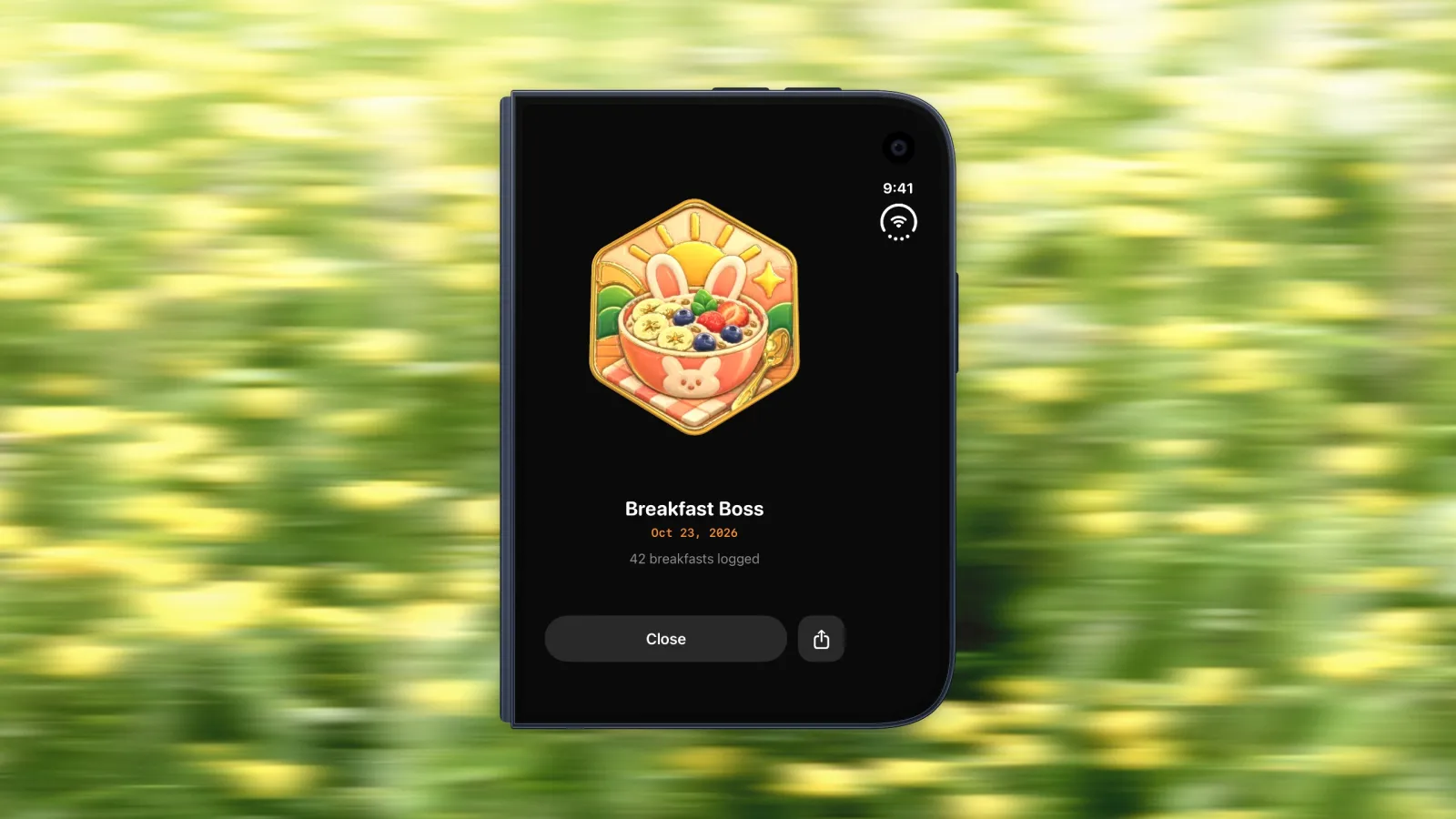
When you unlock one, it gets the whole screen and you can share it straight away. On the closed Duo, that is a badge filling the outer display, which is a nice little moment to show someone across the table.
Meal Photos Are Analysed on Your Phone
On iOS 26 and later, Bento Bunny analyses meal photos on the device. Every iPhone Duo ships with iOS 27, so on the Duo the estimate comes from the phone in your hand, not a server. Snap the plate, check the estimate, adjust the portion if you need to, and move on.
Setting Up Bento Bunny on iPhone Duo
- Install Bento Bunny and set your goal. It runs on iPhone, iPad and Apple Watch with iOS 18 or later.
- Log your next meal with the phone closed. Type it, say it or snap it from the outer screen. That is the habit to build.
- Open the phone in the evening to check your calories and macros in the two column view.
- Save an app pair for cooking. Safari on one side and Bento Bunny on the other, ready whenever you open the phone in the kitchen.
- Add it to your Apple Watch for the moments when even the outer screen is too far away.
What It Costs
Bento Bunny is free to download. Meal logging is part of Premium, while water, weight, streaks and quests stay free. Nothing about the Duo version costs extra: it is the same app on every iPhone.
The bottom line
iPhone Duo will not make any calorie estimate more accurate, and it is not a reason to start tracking on its own. If you have one, though, you want a tracker that uses both screens instead of sitting in a box in the middle of one. Bento Bunny fits the way the Duo actually gets used: closed and one handed for logging in the moment, open for the end of day look at your numbers. If you are still deciding whether the foldable is worth it, read what iPhone Duo changes for calorie tracking first, or try the free AI calorie estimator in your browser to see how Bento Bunny reads a meal.
Frequently Asked Questions
Does Bento Bunny work on iPhone Duo?
What is the best calorie tracker app for iPhone Duo?
Can I use Bento Bunny in Split View on iPhone Duo?
Is Bento Bunny free on iPhone Duo?
Where does Bento Bunny analyse my meal photos?
Start tracking with Bento Bunny
AI calorie tracking. Just type what you eat.